Four steps to a
familiar route.
From finding your centre to your first mock test, in the order most learners use it.
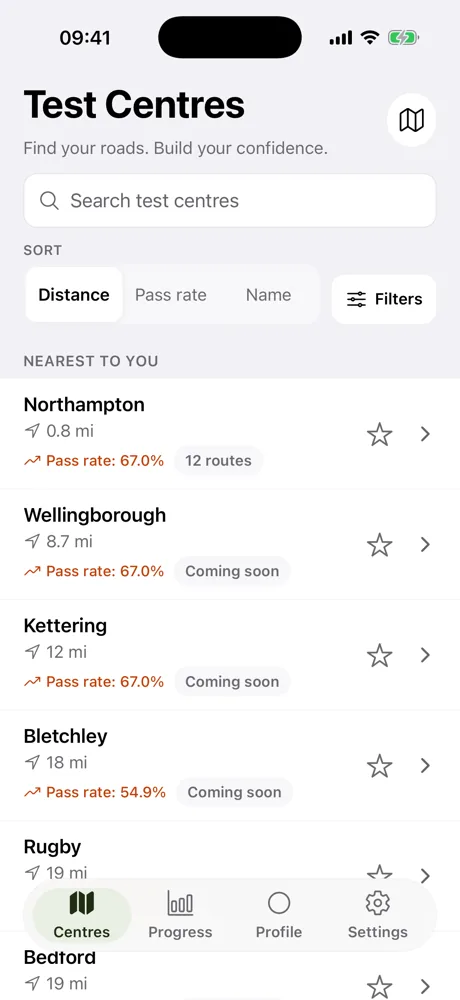
Pick your test centre.
Search for the centre you’re booked at. You’ll see its address, the tests it runs and every practice route available.
Preview the route.
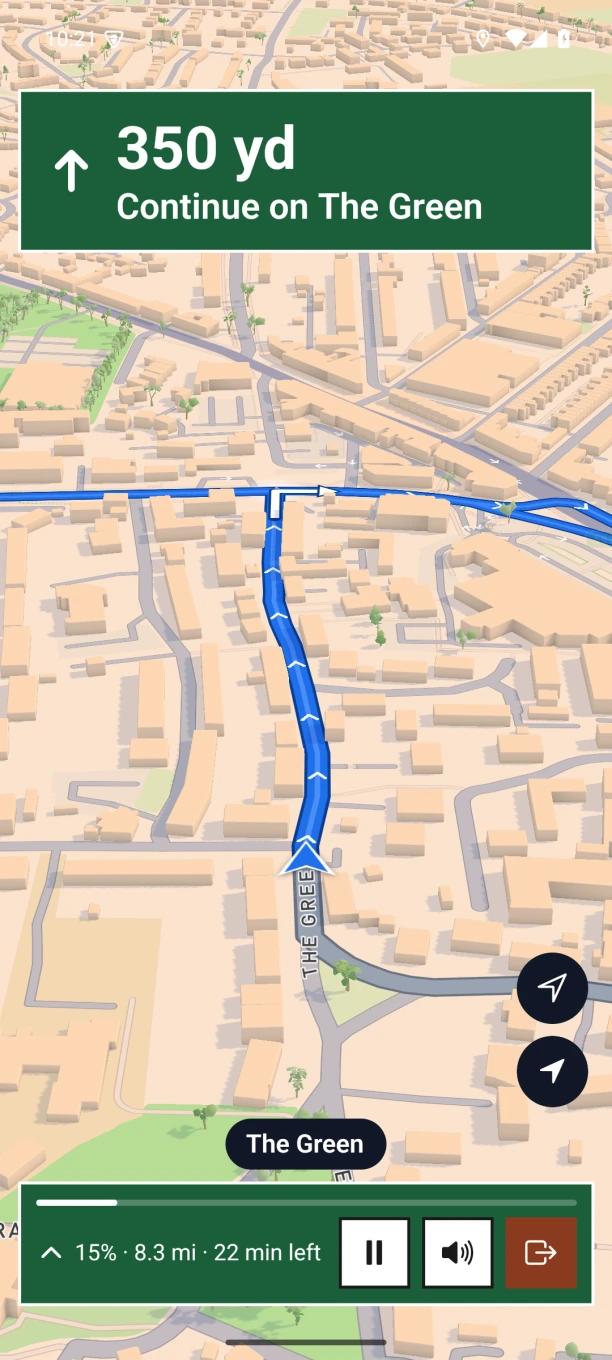
Open a route to see it on the map, watch the fly-through, and step through every instruction before you leave home.

Drive it for real.
Mount your phone, start the route and follow the voice guidance. PassTheRoute guides you to the route from your starting point.
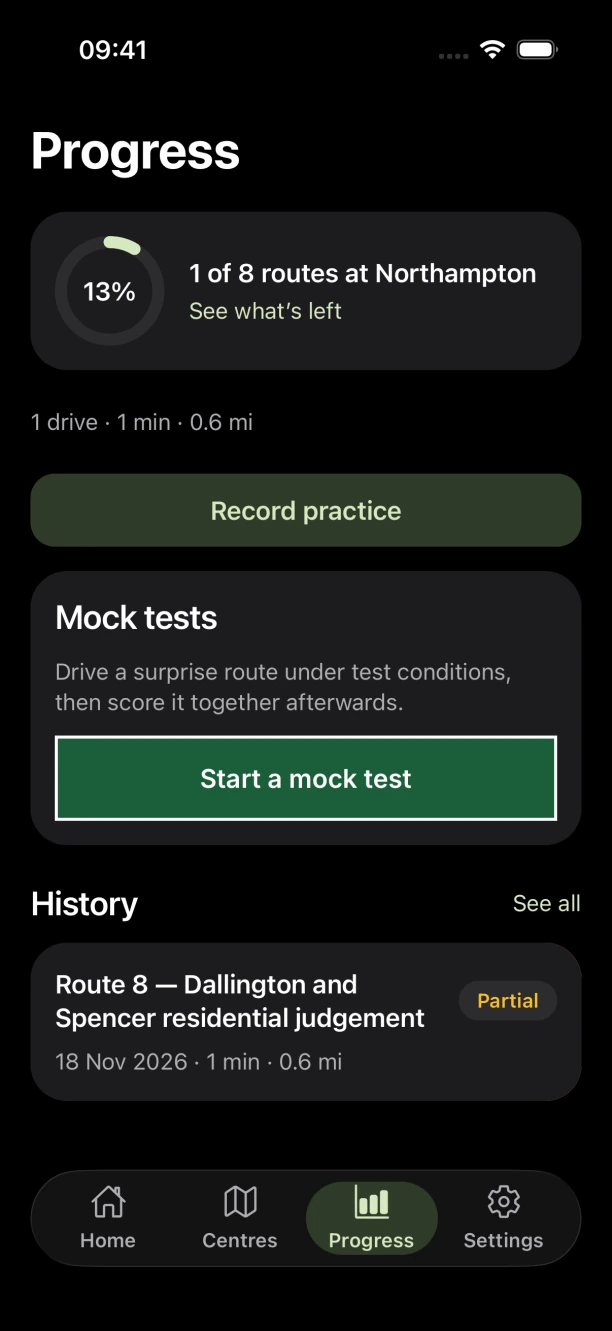
Review and repeat.
Each drive is saved to Progress. When you’re ready, try a mock test with a surprise route.
Practise legally and safely.
PassTheRoute is for supervised practice on public roads. The usual learner rules apply.
Check the full rules on GOV.UK.
- Hold a valid provisional licence
- Be supervised by someone aged 21+ who has held a full licence for 3 years
- Have insurance that covers you as a learner
- Display L plates (or D plates in Wales)
- Mount your phone hands-free before you set off
If the app and the road disagree, the road wins. Always follow signs, signals and markings.
Know the route before test day.
Coming soon to iPhone and Android. Leave your email and we’ll tell you the day it launches.
Routes are indicative practice aids, not official DVSA routes. Read the route data disclaimer.